
Redesigning Canada’s Passport Appointment Service
UI/UX Case Study
Aman Agrawal
Siddharth Thakur

Problem Statement
The current Service Canada passport booking system suffers from high cognitive load and a lack of transparency. First-time applicants often feel overwhelmed by fragmented information, leading to "booking anxiety." Users are frequently forced to navigate external, unverified sources to understand document requirements, creating a significant trust gap in a high-stakes government service.
Objectives & Goals
Simplify the Journey: Create a linear, clear booking path that reduces the time spent on the site.
Build Trust: Use consistent UI patterns and clear branding to reassure users they are on an official, secure government platform.
Empower Users: Ensure every applicant knows exactly what documents to bring before they arrive at their appointment.
Adhere to GCDS: Maintain 100% compliance with the Government of Canada Design System (GCDS) and accessibility standards.
No Proper navigation address
No Document Checklist
No Search Bar or FAQ'S
Solution
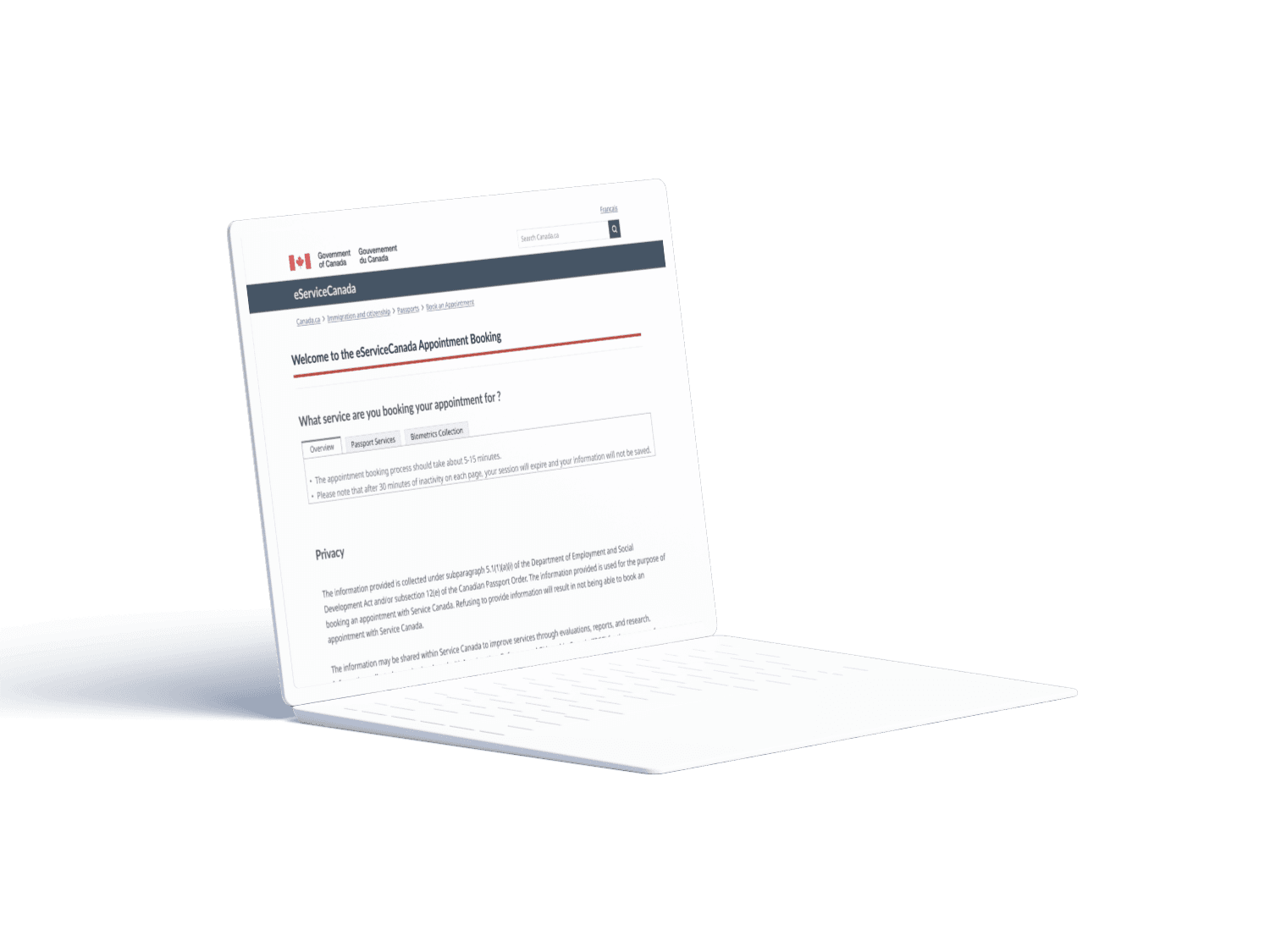
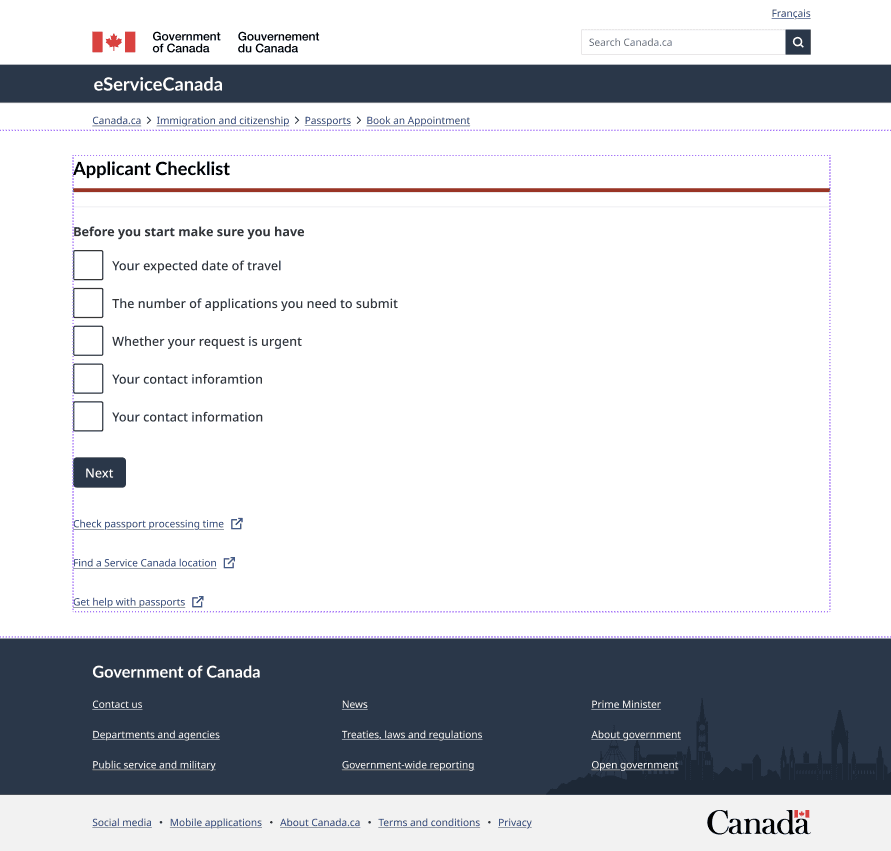
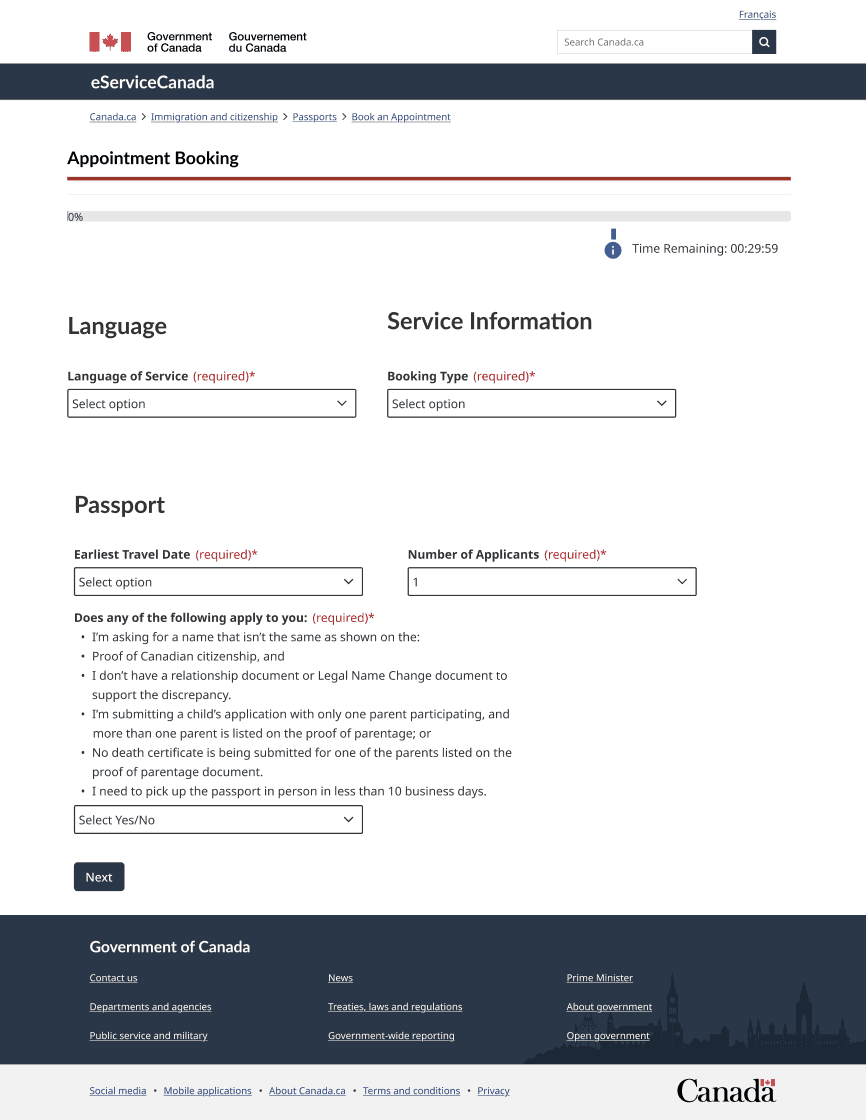
The "Checklist" Hero Feature: A dedicated pre-booking page that lists required documents and helpful links, eliminating the need for external searches.
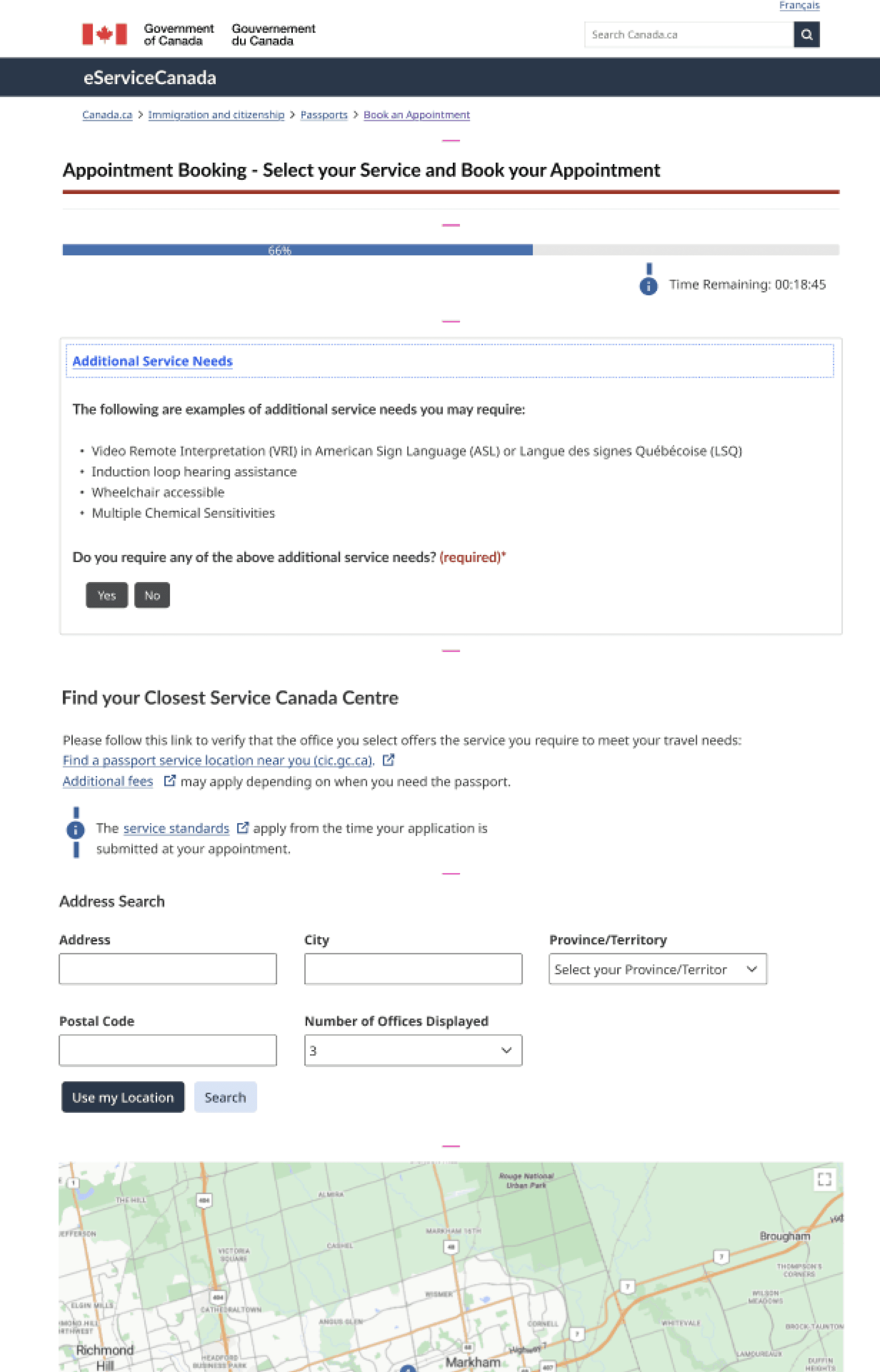
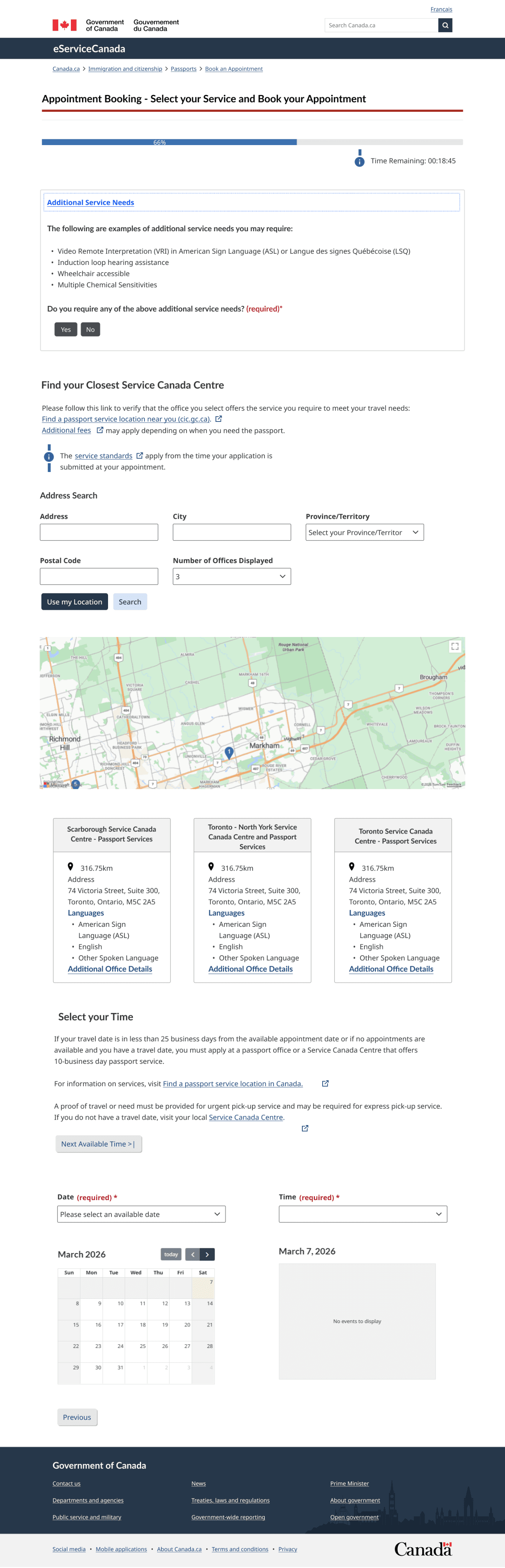
Enhanced Navigation: The introduction of a persistent search bar and breadcrumbs keeps users oriented at every step.
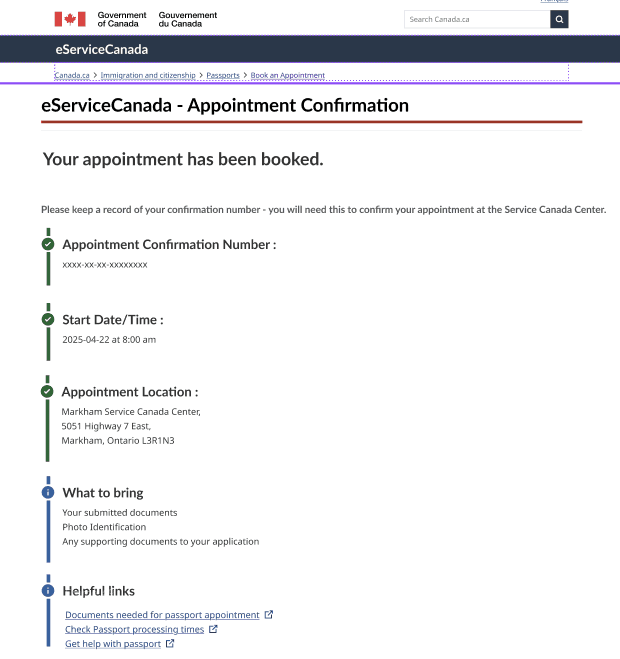
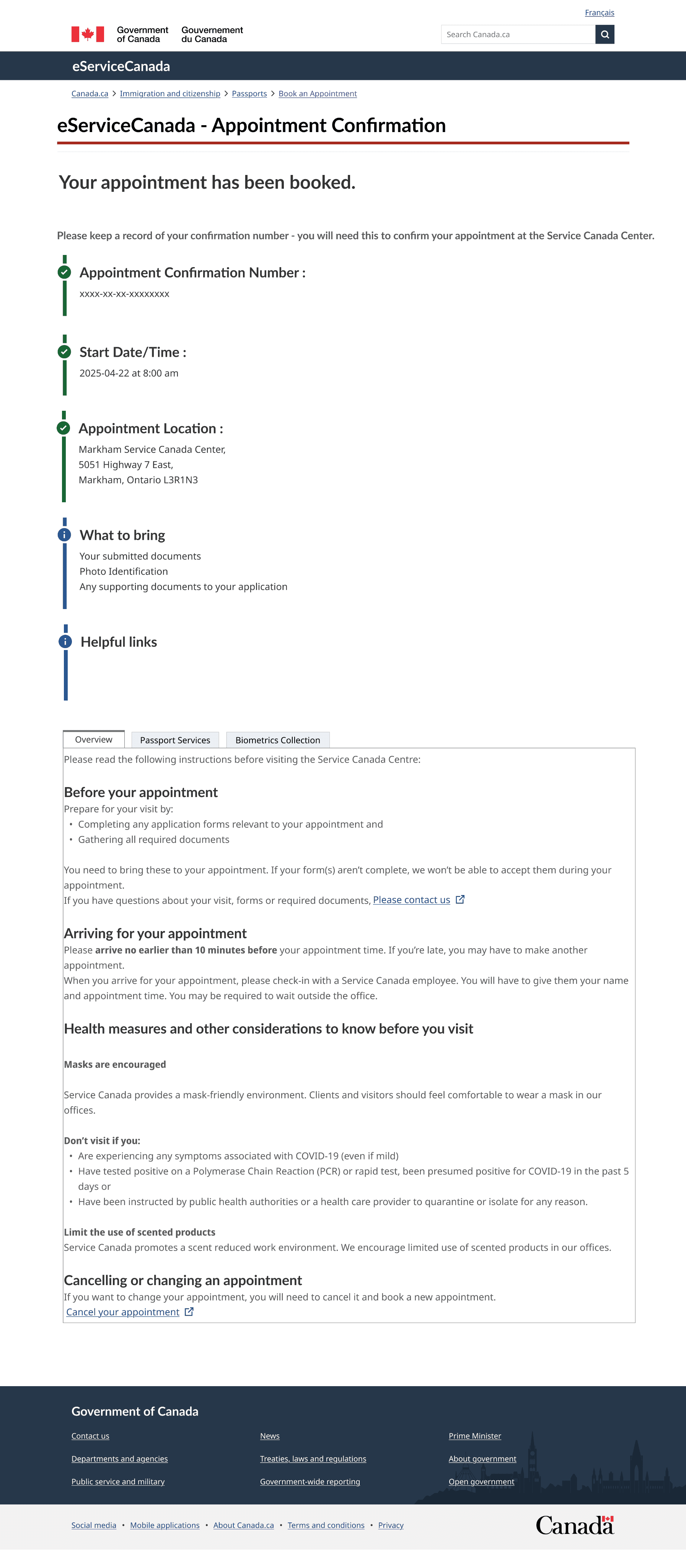
Confident Closures: A redesigned confirmation page providing a strong visual success state and clear next steps (what to bring, where to go).
Our Process
Discover

Define

Ideate

Design

Business Challenges
The "Innovation vs. Protocol" Balance: The primary challenge was strictly adhering to the GCDS library and designing within rigid accessibility protocols. While we identified innovative UI solutions, we had to adapt them to fit existing government design patterns to ensure scalability and official branding.
Information Architecture: Restructuring government data that was previously siloed into a cohesive, user-friendly checklist without losing the authoritative tone of the service.
Product Users
-The First-Time Applicant
-New Citizens
-The Time-Sensitive Professional



Quantitative Research
Observations
43%
While most users eventually completed the task, 43% expressed low confidence in whether they were doing it correctly.
2.1/5
Users rated the ease of understanding required documents.
Frustration Points: The lack of a search bar and the presence of a countdown timer were noted as high-stress elements.
External Reliance: Users felt forced to "go out" to external sources because the primary site lacked structured info.
Based on our survey of 14 participants, the data confirmed deep-seated frustrations with the original flow:
User Needs
Transparency: Users need to know "what's next" and "what's required" at all times.
Verification: A need for official confirmation that their information is secure and the appointment is booked.
Accessibility: A system that works regardless of technical literacy or device type.
Features & Functionalities
To resolve user needs
Search Bar Navigation & quick access to specific information without backtracking.
Breadcrumbs Orienting the user within a multi-step government process.
Integrated Checklist Page Centralizing document requirements to prevent "external link fatigue.
Success State Feedback
Reducing post-booking anxiety with a strong confirmation and explicit next steps.




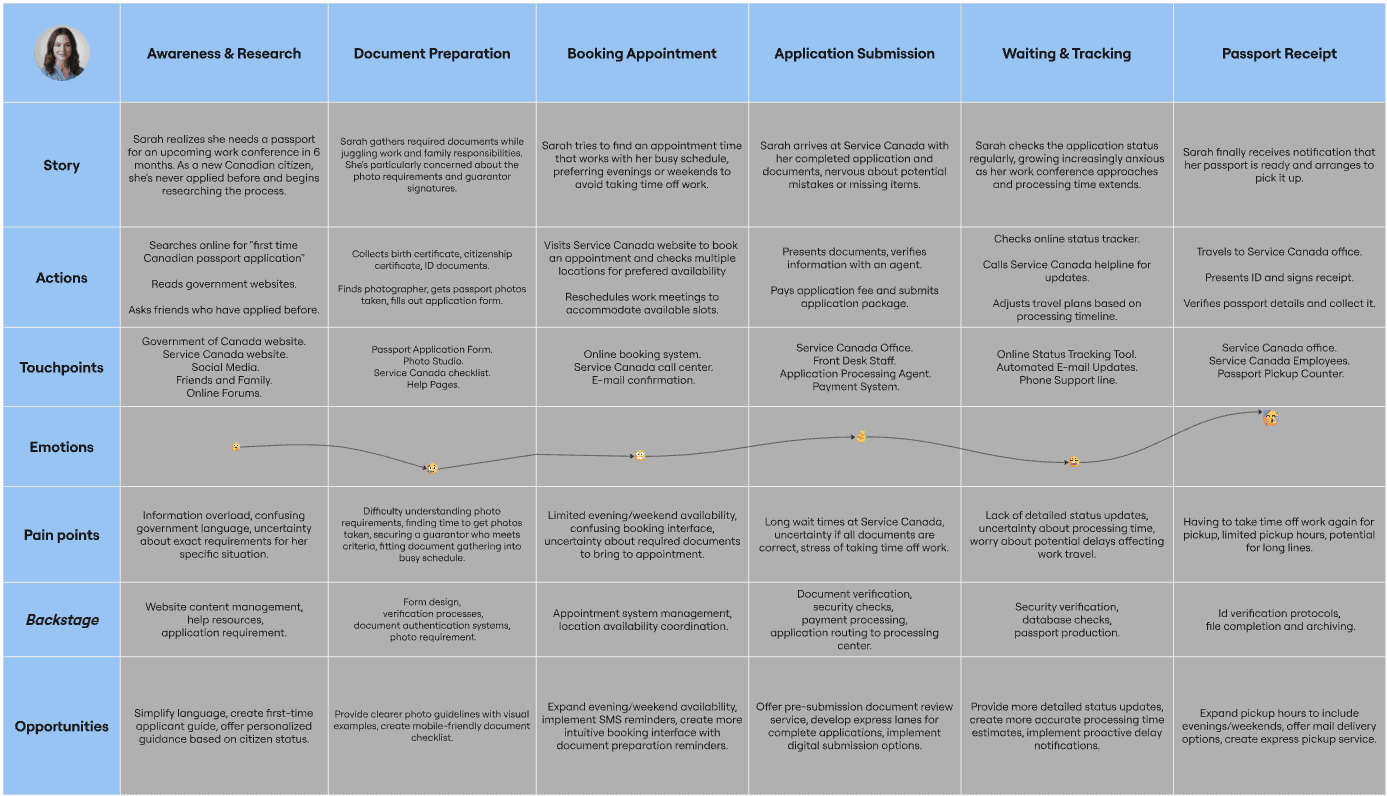
Sarah Chen
Marketing Manager
About
34
Mississauga
MBA
Employee
User Persona
Description
New Canadian citizen and needs passport for a work conference in 6 months.
Primary Goals
Book the right Service Canada appointment and complete a first-time passport application correctly without delays or resubmissions.
Pain Points
Process Complexity
-Overwhelmed by dense government language and form instructions
-Unclear about which documents are mandatory versus optional for her specific situation
-Photo requirements seem overly specific and confusing
Time & Scheduling Constraints
-Service Canada appointments fill up weeks in advance
-Long wait times for reappointments
Accessibility Issues
-Website navigation is clunky and information is hard to find
-No easy way to get answers to specific questions without waiting on hold
Financial Concerns
-Application fees add up, especially if I make errors and need to reapply
-Potential costs for expedited processing if needed
Needs
-Clear, step-by-step guidance on the complete application process with no ambiguity.
-Accurate information about required documents, especially for first-time applicants with her citizenship background.
-Realistic timelines, so she can plan around travel commitments.
-Flexible appointment options that work with her schedule (evenings or weekends preferred).
-Photo specifications that are crystal clear to avoid rejection
-Application status tracking to reduce anxiety about processing.
-Confirmation and reassurance that she's doing everything correctly.

Task Mapping
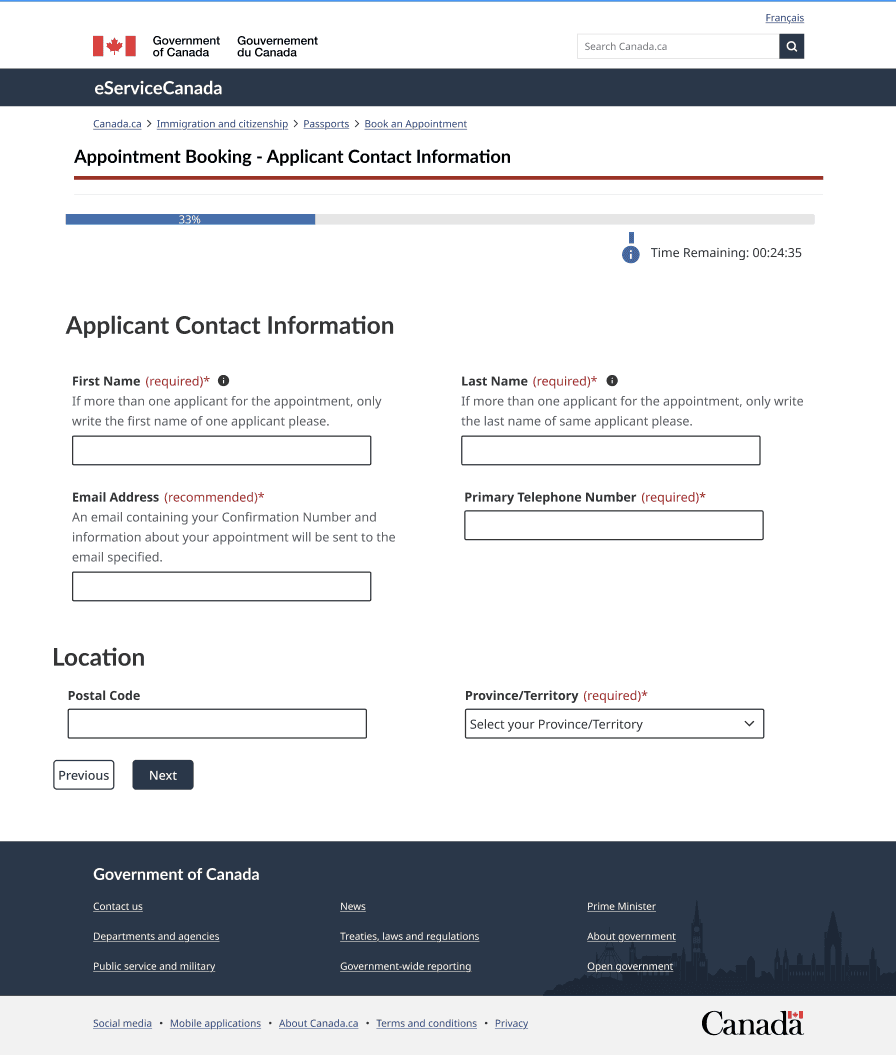
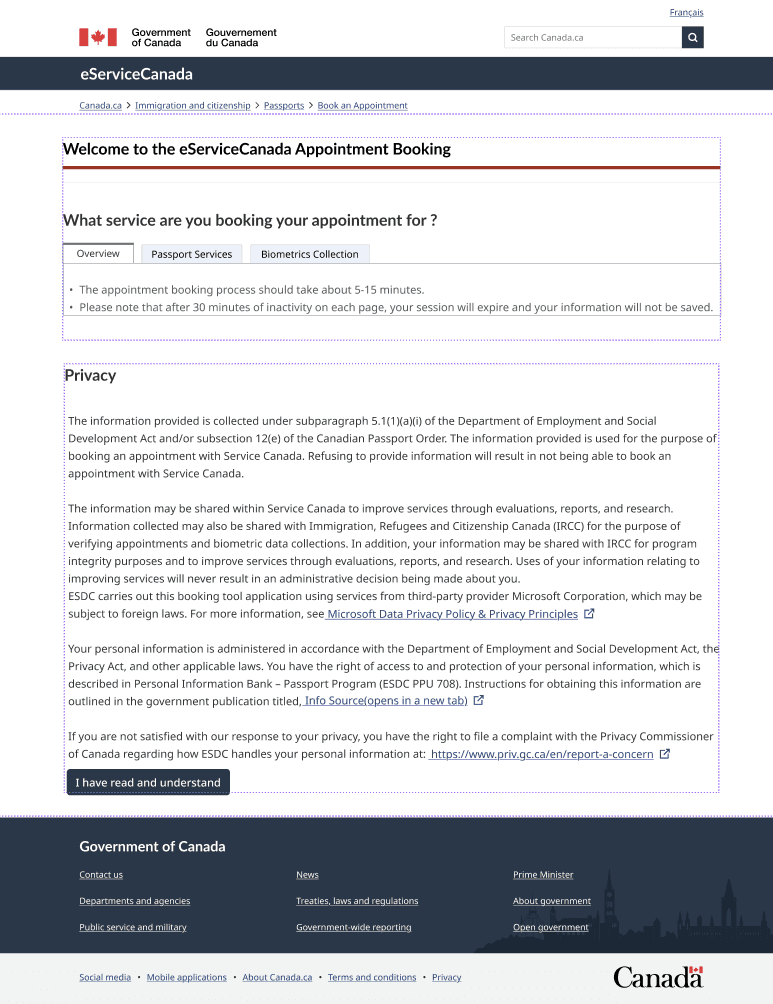
Main Screens
Acknowledgment
Checklist
Appointment Booking
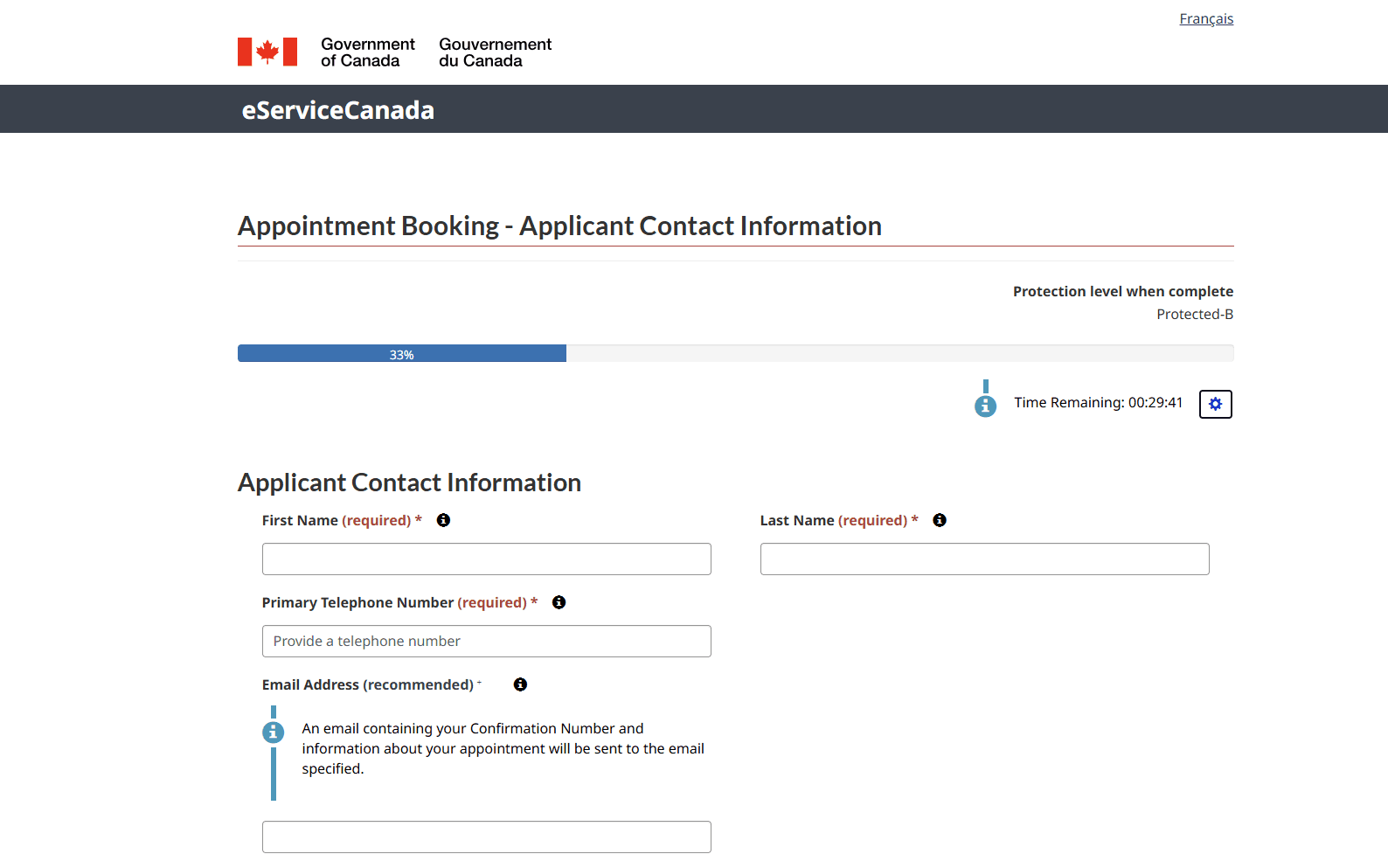
Applicant Contact Info
Select Service and Location
Appointment Confirmation
Thank You
For Watching